-
Leica Store wrote a new post 13 years, 2 months ago
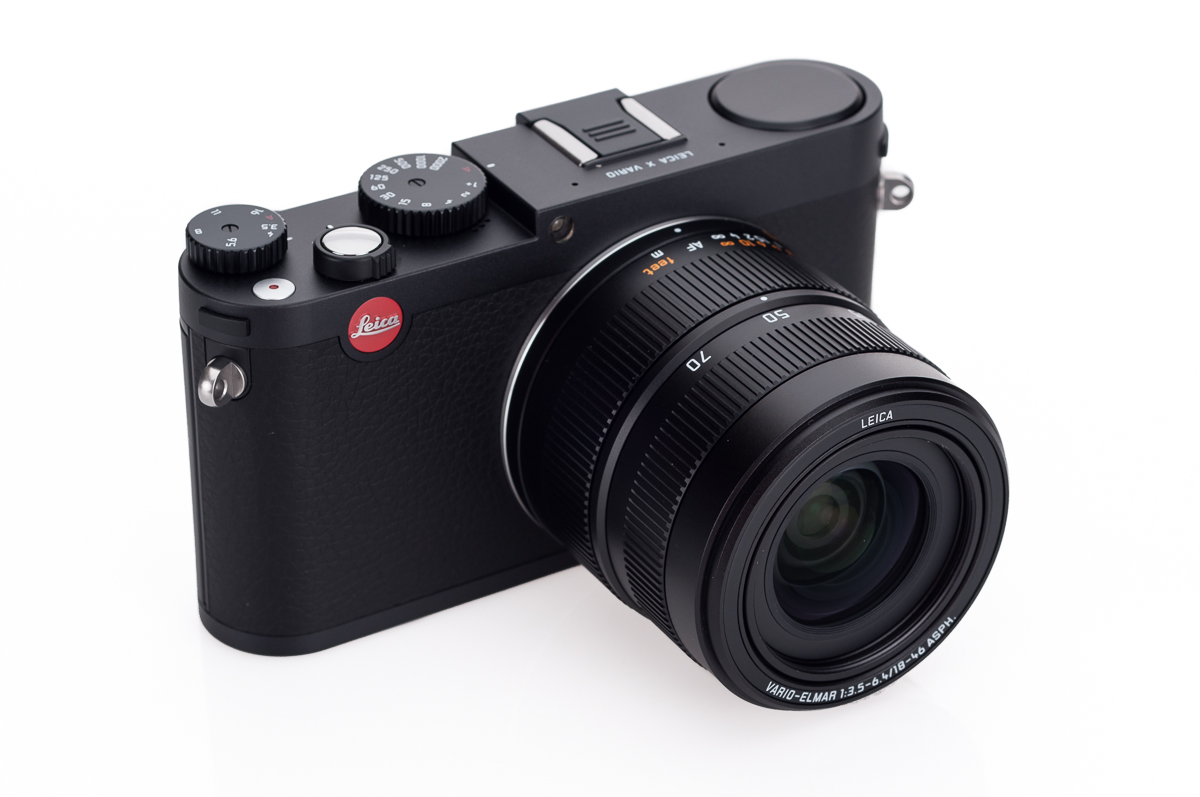
Today, Leica has announced a new camera: the Leica X Vario (Typ 107). Leica has been slowly teasing the market with this camera for a few weeks now, branding it as the “Mini M.” Now that we have the camera in hand, I can see exactly where the logic comes from. The Leica X Vario is more than just an X2 with a zoom, it handles and operates very much like the new Leica M (typ 240).The Leica X Vario features a Leica Elmar lens with an equivalent focal length of 28-70mm and aperture range of f/3.5-6.4. This lens is mated to a new APS-C CMOS sensor with 16.1 megapixels. The X Vario, made in Germany, is solid; in hand it feels much like the new M. The rear LCD is another similarity, boasting 920,000 pixels over 3 inches diagonal. The camera fits perfectly in between the Leica X2 and the M:
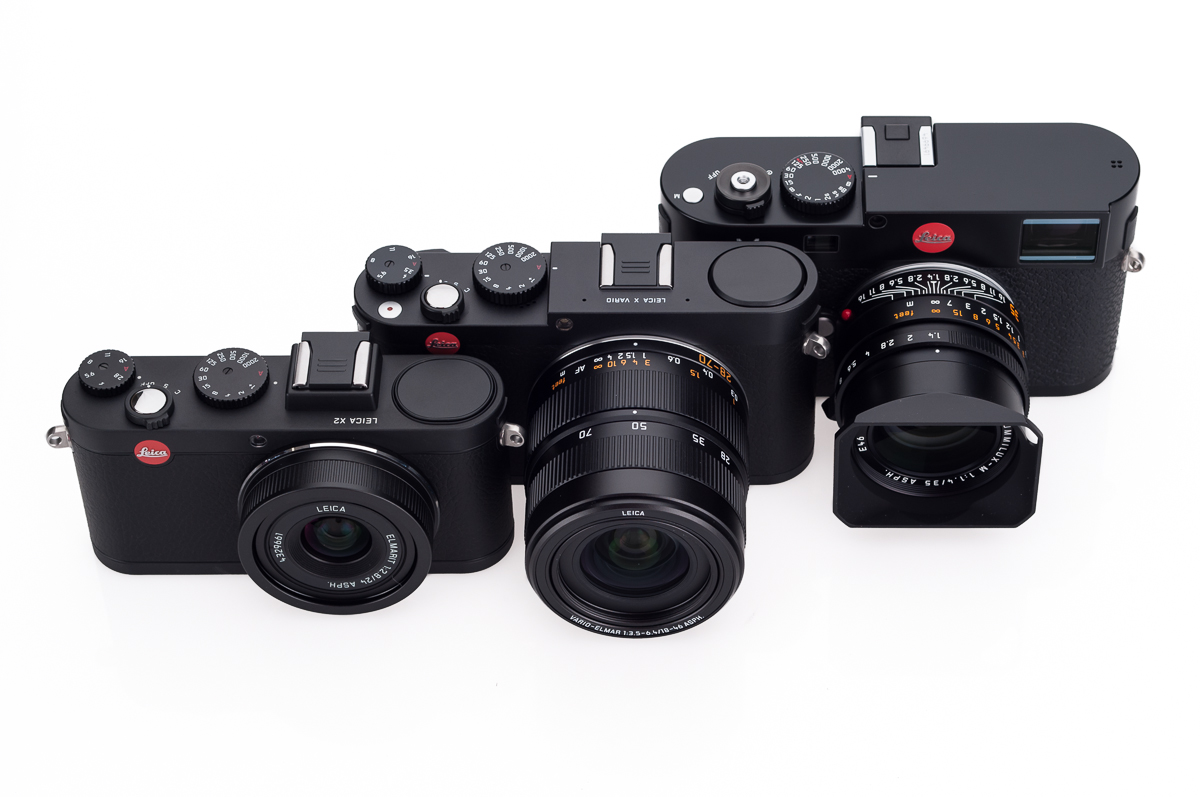
The official press release, from Leica:
Leica Camera proudly presents the Leica X Vario (Typ 107) -a groundbreaking compact camera which combines a large APS-C format with a zoom lens to offer customers the best possible quality and versatility in a compact camera.The Leica X Vario (Type 107) features several significant technical, design and handling characteristics of the Leica M. With the AF Leica Vario Lens offering an equivalent zoom range covering 28 to 70 mm and full-HD video recording, the Leica X Vario (Typ 107) expands the creative options for the user while offering easy and automatic operation.
Benefits at a Glance:
- Newly developed Vario Lens: Leica Elmar 1:3.5-6.4 (28-70 mm equivalent)
- Newly developed APS-C CMOS Sensor with an effective resolution of 16.1 Megapixels
- Iconic design using high quality materials (milled aluminum top cover)
- Simple operations including manual adjustment options
- Precise and fast Auto Focus
- Best in class image quality and full HD video
- Connection for high resolution electronic viewfinder for new photographic perspectives
- Versatile accessories
- Adobe Photoshop Lightroom, the comprehensive solution for modern digital photography
- Made in Germany
LEICA VARIO-ELMAR LENS & APS-C CMOS SENSOR
The Leica Vario-Elmar 28-70 mm f/3.5 -6.4 ASPH (35 mm equivalent) and the APS-C CMOS sensor ensures images of unsurpassed brilliance. The size and quality of the sensor means low image noise, high dynamic range and accurate color differentiation. The wide-angle to telephoto zoom range of the Leica X Vario (Type 107) offers photographers the options for many more creative compositions: indoor scenes, impressive landscapes or intimate portraits. The Leica X
Vario (Typ 107) allows users to change focal length easily and quickly to spontaneously capture the perfect moment. In addition, the autofocus is fast, extremely precise and virtually silent while the switch from autofocus to manual focusing is intuitive -simply move the focusing ring on the lens from MF to AF mode.INTUITIVE HANDLING
The Leica X Vario (Typ 107) offers a simple handling concept which allows the photographer to concentrate on the picture. All functions and controls are clearly laid out, and settings can be changed in an instant to meet the needs of any photographic situation. The user-friendly menu interface displayed on the high-resolution 3” monitor provides a
clear overview of all settings at a glance.FULL-HD VIDEO
The Leica X Vario (Typ 107) offers a full-HD video recording option with a 1920 x 1080 pixels and 30 full frames per second. A video can be made by simply starting and stopping a single button on the camera’s top plate. The full-HD videos can be saved using the MP4 format and uploaded directly to social media or mobile devices without any conversion. An integrated wind-cut filter ensures outstanding audio clarity.THE ART OF ENGINEERING -MADE IN GERMANY
The design and finish of the Leica X Vario (Typ 107) reflects the ultimate in the art of engineering with attention to detail and the use of the finest materials. The top plate is machined from solid aluminum while the magnesium and aluminum body is trimmed with soft leather. The Leica X Vario (Typ 107) provides the user with a visual and tactile experience which is synonymous with a Leica made in Germany.In addition to the camera, Leica is also introducing a number of new accessories:
 copy-4.jpg)
[U]HANDGRIP[/U]
The optional handgrip allows the photographer to hold the camera with one-hand and provides a better grip and steady handling of the camera. The handgrip can be used with finger loops similar to those used with the Leica M (Typ 240). The finger loops are available in three sizes.
 copy-5.jpg)
LENS HOOD
The lens hood is screwed on the front lens thread of the Leica X Vario (Typ 107) and improves the contrast by minimizing stray light. The lens hood comes with a traditional full metal front lens cap.
 copy-6.jpg)
EVER READY CASE
The ever ready case is made from high quality leather. Available in either black or cognac,
the simple and elegant design offers a perfect fit while protecting the camera.
 copy-7.jpg)
PROTECTOR
The X Vario Protector is designed for optimal protection when housing the camera. Made of high-quality soft leather, it features striking grips on the back and front for ergonomic handling. The protector is available either in black or cognac.
 copy-9.jpg)
 copy-8.jpg)
WRIST AND NECK STRAPS
The wrist and neck straps combine quality and ergonomics and can be used with the Leica X or M cameras. With its integrated protection flap, the camera is secured from scratches. The wrist and neck straps are available in black and cognac.A few more photos of the X Vario (Typ 107):
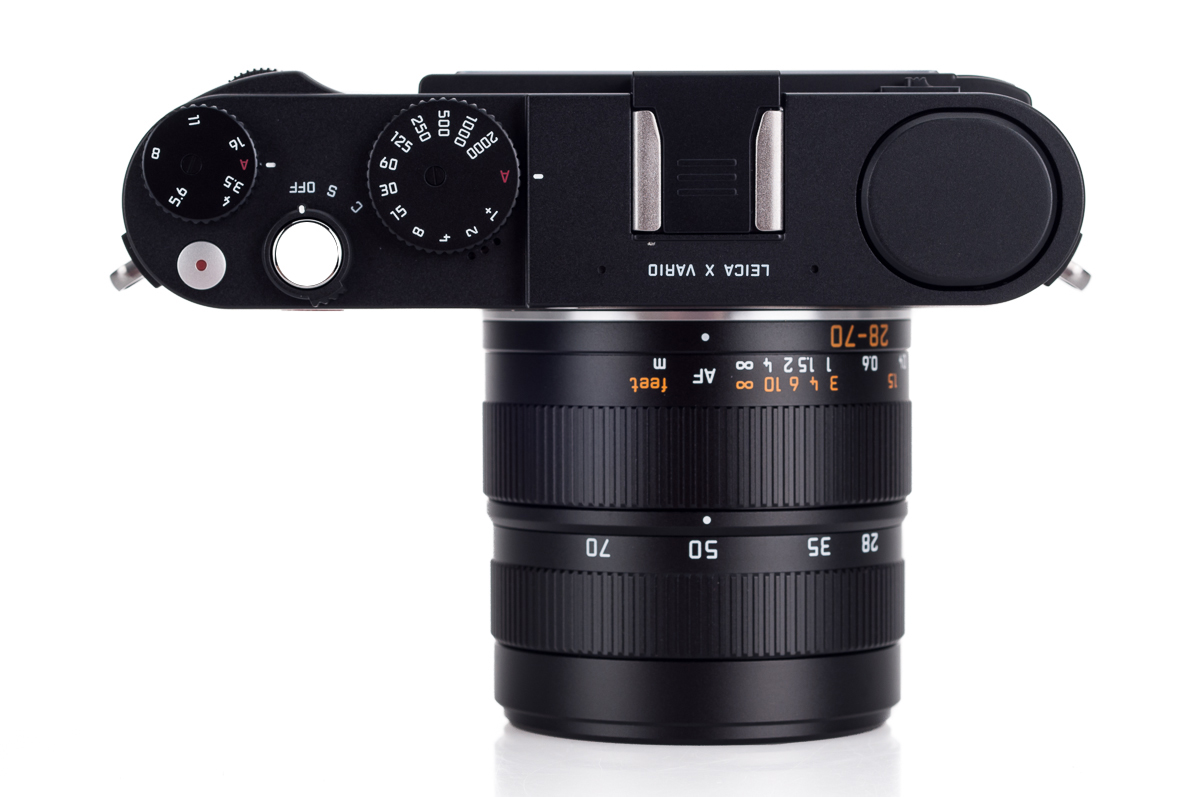
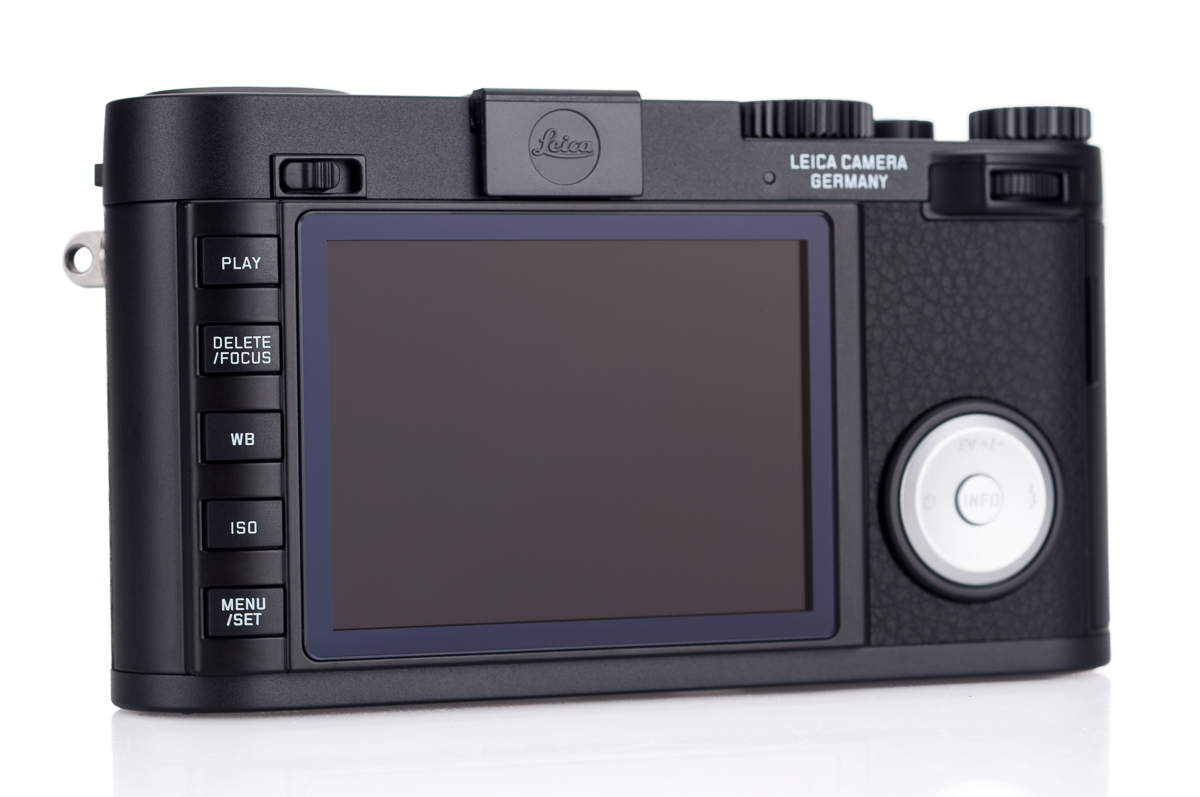
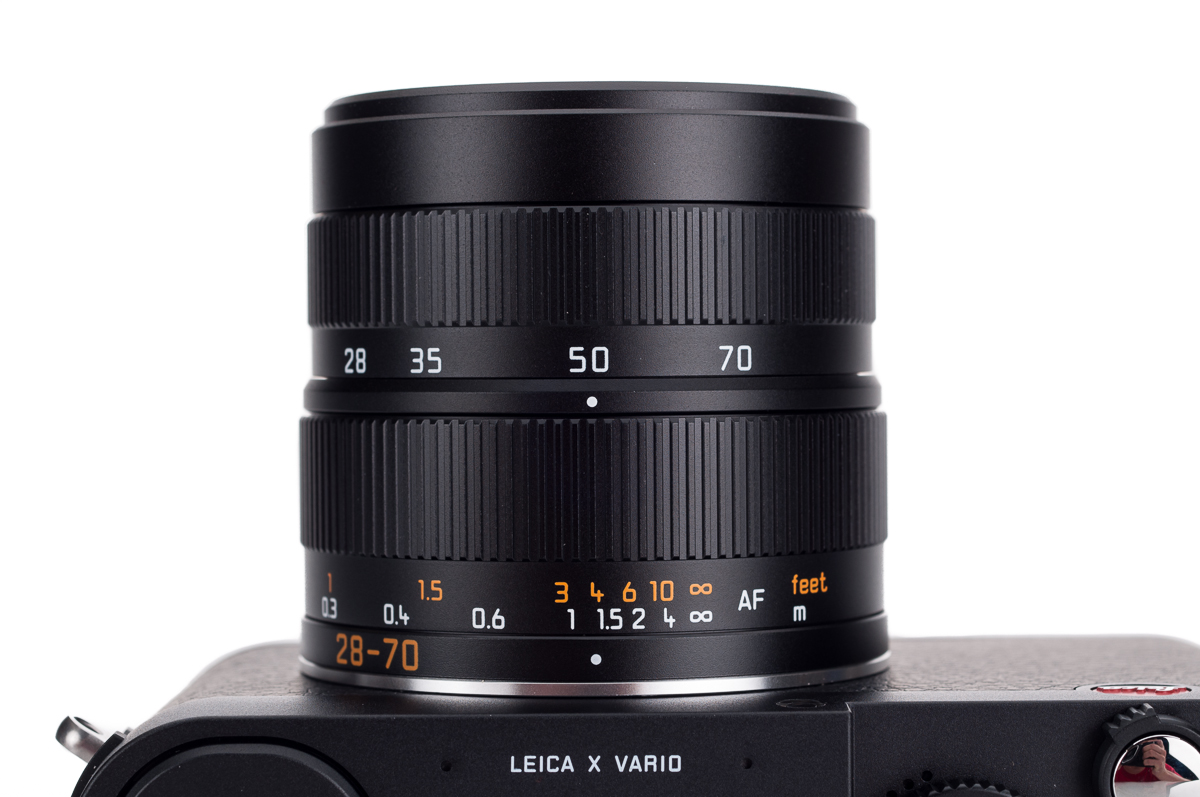
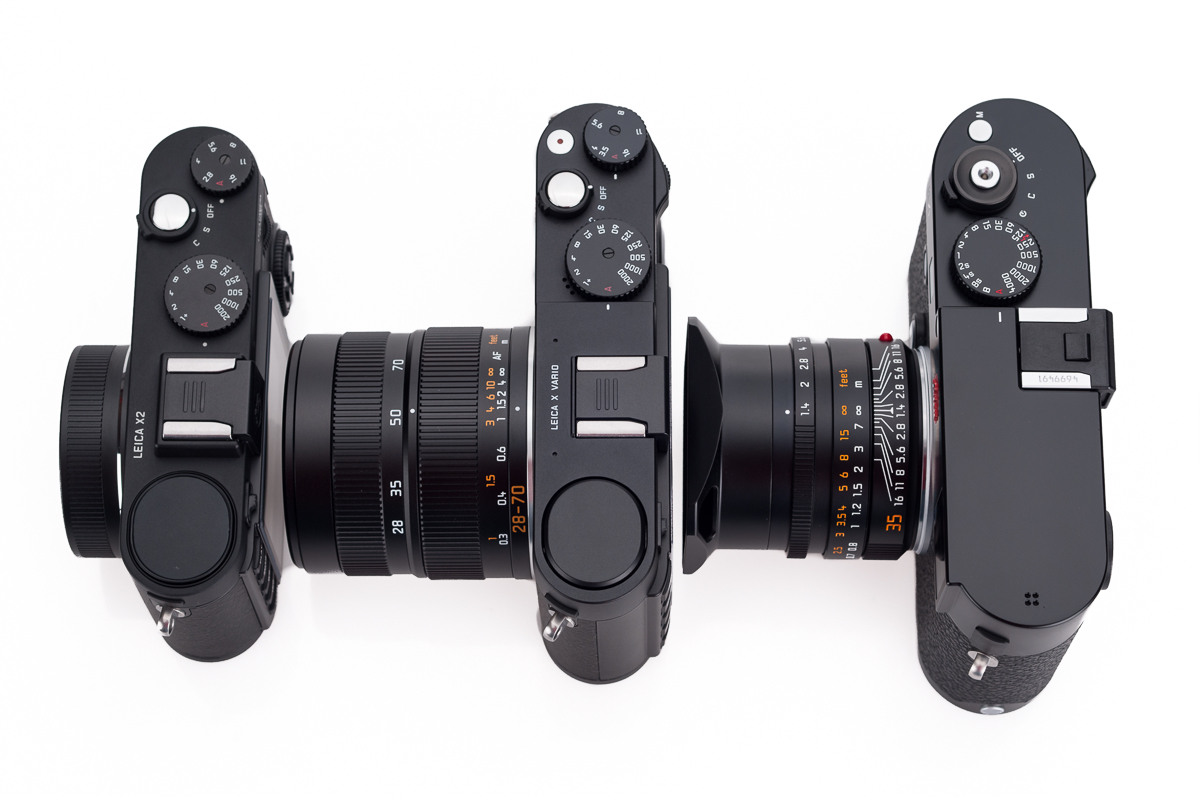
The Leica X Vario (Typ 107) is available for immediate delivery. For pricing and detailed specifications, see: Leica X Vario at Dale Photo & Digital. Email us or call with questions.
-

Jack MacD replied to the topic Somewhere in New Mexico in the forum Images to Share 13 years, 2 months ago
This is at Tent Rocks
http://www.blm.gov/nm/st/en/prog/recreation/rio_puerco/kasha_katuwe_tent_rocks.html
Attached files

-
Scott997 replied to the topic The M Monochrome and Lightroom 4 in the forum M Monochrom 13 years, 2 months ago
On M lenses we manually control the focus and aperture. There is no digital type of communication between the lens and the body. The lenses with 6bit coding simply means the body reads the codes off of the bayonet ring. That could throw you off into thinking there is data being transmitted back in forth but theres not.
On the M9 the aperture…[Read more] -
melantye replied to the topic Some shots with M240 and Noct in the forum Images to Share 13 years, 2 months ago
David K;4610 wrote: Shooting a moving target with the Noct wide open and nailing focus is like winning Powerball 🙂
Indeed I hope my brain can incorporate something like the new S camera's predictive focusing:)
-
Mark Nockleby replied to the topic The M Monochrome and Lightroom 4 in the forum M Monochrom 13 years, 2 months ago
For what it's worth, I'm not seeing aperture in the metadata in Capture One as well (I do see it with my M8). I'm still on firmware 0.017. I haven't updated to the latest firmware yet.
rtrimarchi;4604 wrote: When I import files into LR4 previews are not visible in the import dialog window. Also LR does not indicate the aperture setting in…
-
David K replied to the topic Some shots with M240 and Noct in the forum Images to Share 13 years, 2 months ago
Shooting a moving target with the Noct wide open and nailing focus is like winning Powerball 🙂
-
Leica Store wrote a new post 13 years, 2 months ago

Leica has released their first firmware update for the Leica M Monochrom, version 1.002. The firmware update offers the following improvements:
- Bugfix to improve stability in “Discreet-Mode
- Linguistic improvements in French, Italian
- Improved stability when the camera is connected to USB
The firmware is available for download on the Monochrom Downloads Page on Leica's website.
Instructions for updating the Leica M Monochrom Firmware
- Format an SD memory card in your Leica M Monochrom.
- Turn off the camera and insert the card into an SD card reader – either integrated or connected to your computer. (A reader is required for firmware updates).
- Download the firmware file from the Leica M Monochrom site using the “UPDATES” link and unzip the file.
- Save the unzipped file Mm-1_002.upm at the top level of the card’s folder structure.
- Remove the card properly from your card reader, insert the card into the camera and close the bottom cover.
- Turn on the camera using the main switch. Confirm the prompt that appears in the monitor as to whether you want to update the firmware on the camera to version 1.002.
- The update process takes around 180s. You will then be prompted to restart the camera using the main switch.
- Turn the camera off and back on again.
Notes:
- If the battery does not have sufficient charge, you will see a corresponding warning message.
- If you update the firmware on your M Monochrom, the camera will be set back to the default settings. This also applies to the folder and file numbers.
- Also the User profiles will be deleted. Please make a note of the settings in the user profiles before you run the update, so that you can reset them manually.
-
issa918 replied to the topic FS: Leica H to S adaptor- Mint in the forum Gear For Sale 13 years, 2 months ago
push
-
melantye replied to the topic Some shots with M240 and Noct in the forum Images to Share 13 years, 2 months ago
Scott997;4607 wrote: Congrats on your M! What lens did you shoot the 2nd picture with?
Thanks Scott! They're all captured with the Noctilux 0.95
-
Scott997 replied to the topic Some shots with M240 and Noct in the forum Images to Share 13 years, 2 months ago
Congrats on your M! What lens did you shoot the 2nd picture with?
-
peterv replied to the topic Any ideas on the purple line in the following images? in the forum S2 13 years, 2 months ago
You'd probably get more answers and possibly remedies over at the LUF M9 forum.
http://www.l-camera-forum.com/leica-forum/leica-m9-forum/
All the best!
-
noamc replied to the topic Any ideas on the purple line in the following images? in the forum S2 13 years, 2 months ago
thanks for your answer, I ‘ve tried to convert with the adobe software but I still have the mistake….
I am really disapointed I have some massive works to shoot very soon with this camera and I can't imagine to fix file file….
please any help again ?? -
Jack MacD replied to the topic 24mm in use in the forum S Lenses 13 years, 2 months ago
True,
When I choose to use f3.5 it is to blur the background so soft corners would not be noticed, nor any issue.
Jack -
Leica Store wrote a new post 13 years, 2 months ago

Today, Leica has announced the Leica S-Adapter-C, which allows Contax 645 AF lenses to be mounted on a Leica S system camera (S2, S2-P, or S typ 006) with full functionality, including auto focus and aperture control. From Leica:
Leica Camera is pleased to introduce the Leica S-Adapter C which will be available from this June. With this adapter, Contax 645 lenses can be used with the Leica S (Typ 006), Leica S2 and Leica S2-P cameras. The adapter enables owners of the Contax 645 system to switch effortlessly to the Leica S System.
The Leica S-Adapter C when used with Contax 645 lenses on any of the Leica S cameras offers the following:
- Autofocus and manual focus with focus confirmation
- Automatic aperture
- Using the EXIF data of lenses of Contax 645 system
- Use of corrective lens profiles for the Contax 645 system when converting the RAW files in Adobe Lightroom or Adobe Photoshop.
When using the adapter with Contax 645 lenses, the aperture is selected with the manual mode or the automatic setting of the camera.
Stefan Pick, Contax photographer for many years, was the first to test the S-Adapter C in conjunction with the Leica Stand Contax 645-lenses. Stefan Pick said, “Initially, I was pessimistic about the adapter solution, but already from the first use I was enormously surprised how quickly and how well the auto focus on the Leica S works – faster than on Contax system in the past. The image quality as a result of the combination of Contax lenses on the Leica S is gigantic. Therefore, the connection of the Leica S with the Leica S-Adapter C is an extremely affordable entry-level solution to the Leica S-System and a better quality solution as a digital back, for photographers who own the Contax lenses from the past.”
The Leica S-Adapter C supports the following lenses from the Contax 645 system:
- Distagon T* 3.5 / 35 mm
- Distagon T* 2.8 / 45 mm
- Distagon T* 3.5 / 55 mm
- Planar T* 2.0 / 80 mm
- Apo-Makro-Planar T* 4 / 120 mm
- Sonnar T* 2.8 / 140 mm
- Sonnar T* 4 / 210 mm
- Tele-Apotessar T* 4 / 350 mm
- Vario-Sonnar T* 4.5 / 45-90 mm
- Mutar 1.4x T*
- Auto Extension Ring 13 mm
- Auto Extension Ring 26 mm
- Auto Extension Ring 52 mm
The Leica S-Adapter C does not support auto-focus for the following components:
- Apo-Makro-Planar T*4 / 120 mm as it is a MF lens
- Automatic bellows
The adapter will be shipping from Leica in June 2013 and will be available for $1,950. For questions about the adapter, email us or check out the adapter online here: Leica S-Adapter-C.

-
ddanois replied to the topic 24mm in use in the forum S Lenses 13 years, 2 months ago
Jack,
Thanks for the reply and the confirmation effort.
I would agree with you that my typical use of this lens would be between f5.6 and f11 so it's not much of a practical issue for me (f8-f11 are amazingly sharp edge-to-edge).
For a 19mm equivalent lens, it's quite an accomplishment on Leica's part.
Thanks again,
Derek
-
Jack MacD replied to the topic 24mm in use in the forum S Lenses 13 years, 2 months ago
Derek,
Sorry to be slow in responding, but I am off shooting in Tent Rocks New Mexico.
In order to answer your question, I had to shoot some tests at f3.5 to see if the corners went soft. Yes they do a bit under huge enlargement.
I never have shot wide-open but now I will know what to expect. f5.6 was only shot so I could freeze the bike…[Read more] -
ddanois replied to the topic 24mm in use in the forum S Lenses 13 years, 2 months ago
Hi Jack,
I like this image!
What are you noticing about the 24 compared to the other S lenses? I'm seeing fairly soft corners at 3.5 compared to 5.6 with my 24mm lens.
My comparison is my 30mm which is amazingly sharp wide open at 2.8.
Thanks in advance for the input.
Derek
-
peterv replied to the topic Any ideas on the purple line in the following images? in the forum S2 13 years, 2 months ago
Noam, I don't know for sure if this will help, but I'd try too convert the M9 DNG in the free Adobe DNG converter before using Eric Chan's software. See if that works …
-
noamc replied to the topic Any ideas on the purple line in the following images? in the forum S2 13 years, 2 months ago
Hi, I just notticed this problem last day on my m9p
a line of less than half the image of red dead pixel…
i've tried the software of madman but once i want to fix images, after entering the numbers of the pixel as asked by the application, it writes me that the file format is invalid…. and i drag a dng coming from a leica m9any idea…[Read more]
-
elia9085 replied to the topic DNG FILES in the forum S2 13 years, 2 months ago
So here is the problem. If Lightroom as well as Adobe dng convertor used compress format what is happens with different type of files when convert them to dng? Also you really can't do metadata & preview update because files get converted to compress format. So how can save changes to dng except catalog?
- Load More


 copy-4.jpg)
 copy-5.jpg)
 copy-6.jpg)
 copy-7.jpg)
 copy-9.jpg)
 copy-8.jpg)


